DARIAH OpenAIRE Gateway
The OpenAIRE Graph is an open access scholarly knowledge graph (SKG) resulting from the aggregation of research entity metadata records (properties and links) from thousands of scholarly communication data sources (institutional, thematic, data, software repositories, publisher archives, scientific databases, funder databases, etc.).
DARIAH OpenAIRE gateway https://dariah.openaire.eu/, as a subset of the graph capturing DARIAH resources: publications, research data and software. This scope/perimeter of the gateway is defined by various dynamic filters/parameters (managed by the DCO team) applied on the overall research graph. Especially zenodo communities, individual repositories or projects can be specified as sources for the gateway.
The present section introduces two main ways to add DARIAH resources to the OpenAire Community Gateway:
- Via automated harvest of a data source by OpenAire
(and connecting it to the DARIAH Gateway) - Via manually adding individual records
In OpenAIRE context, Data sources are services from which OpenAIRE collects bibliographic metadata records, each describing a research product. Data sources are repositories, journals, publishers’ archives, PID authorities like Crossref and Datacite.
Community of Gateway curators
We invite nationals to provide the repository operator name (contact person) to the managers (info@dariah.eu) of the DARIAH OpenAIRE gateway in order to collaboratively set up the inclusion or configuration of their data source in the gateway and be part of the DARIAH OpenAIRE gateway team.
To automatically get the “research products” of a data source harvested by the OpenAire Research Graph, one needs to follow the OpenAire PROVIDE guidelines.
It might mean that you have to upgrade your data source to make it compliant. Two main elements to take into consideration here: implement an OAI-PMH endpoint; being compliant with the OpenAire application profiles.
To expose your repository’s metadata records to comply with the OpenAIRE Guidelines v4.0, you will need to:
- Follow the instructions for all the fields and populate all the mandatory fields and attributes.
- Populated Persistent Identifiers (eg. DOIs, handles for your research output).
- Populated ORCID iDs for authors/creators of the research products.
- Get funding data from OpenAIRE. Provide ‘DARIAH OpenAIRE manager’ information on Funders for your research products to see if they are incorporated into the OpenAIRE Graph. If not we get in touch with them to initiate the process.
Configuration of Data sources1
To focus on DARIAH content only, you may use the filters functionality or the Advanced Criteria.2
Menu: Content Configuration --> Data sources
In some cases you want a subset of a specific data source. The EDIT OPTIONS allows you to specify filters. For example, we may want to include only products that have been published after a given date or published by a given publisher.
A filter is composed of one field, one operator, and one value.
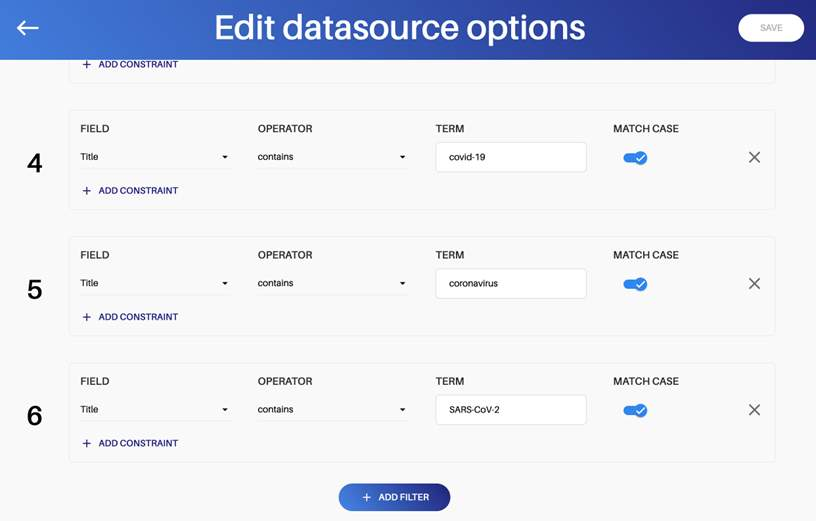
Different fields are available - text field or controlled vocabulary field - (abstract, author’s name, author’s ORCID, contributor, field of science, publication year, publisher, subject, Sustainable Development Goal, title) as well as operators on both textual and controlled vocabulary fields (Contains; Equals; Not contains; Not equals; Starts with).
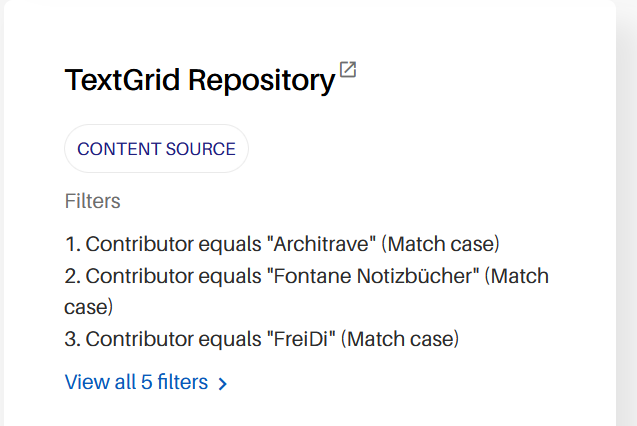
In the example below of the Text Grid Repo, the filters are based on metadata identifying projects funded by DARIAH DE.
Menu: Content Configuration --> Advanced Criteria
In this section you can specify inclusion criteria in different fields and in combination. Go to Content Configuration --> Advanced Criteria to see the currently defined criteria.
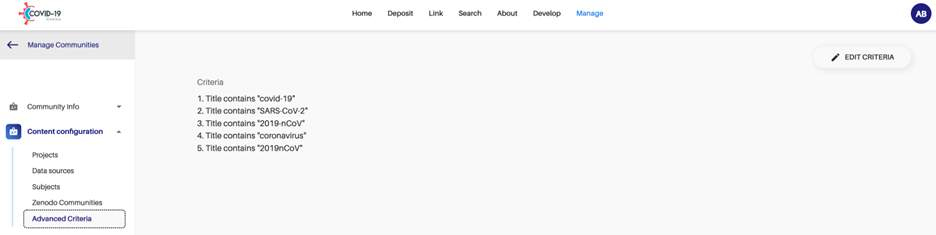
Click on EDIT CRITERIA on the top right to make changes.
Click on “+ ADD CRITERION” on the bottom to add a new criterion. A criterion is composed of one or more constraints that need to be satisfied. If a research product satisfies a criterion, then it is added to the gateway.
The following fields are available: Abstract (text); Author’s name (text); Author’s ORCID (text); Contributor (text); Field of Science (controlled vocabulary); Publication Year (number, four digit); Publisher (text); Subject (text); Sustainable Development Goal (controlled vocabulary); Title (text) as well as operators on both textual and controlled vocabulary fields (Contains; Equals; Not contains; Not equals; Starts with).
Menu: Content Configuration --> Zenodo communities
Zenodo communities are collections, typically curated by an expert. There are communities to collect papers of a journal, outputs of a project, research data of an organization, etc.
Every record deposited in a selected Zenodo community will be included in the gateway.
You may have a Zenodo community for your community: you can set it as “main Zenodo community”. It will be promoted on the Deposit page.
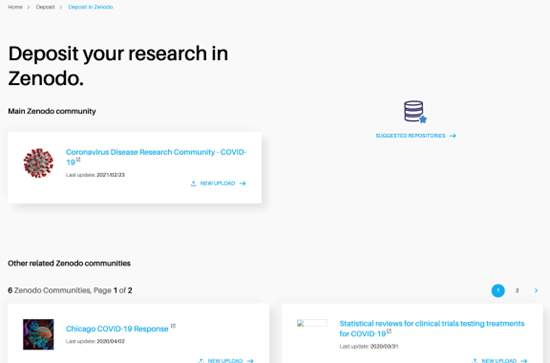
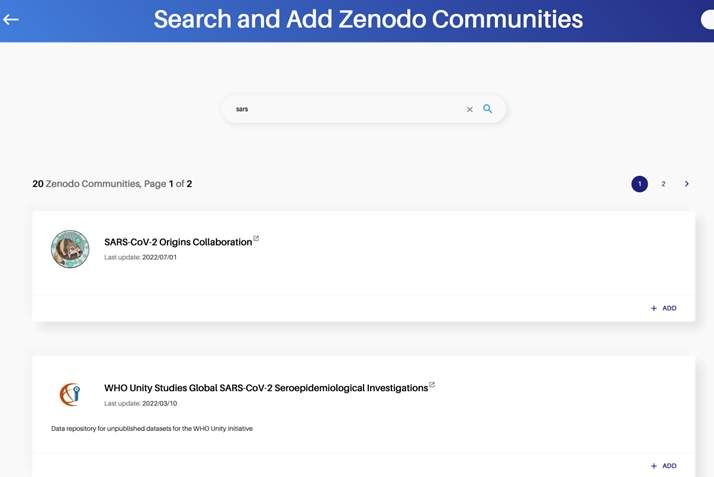
To add a new Zenodo community: Click on “+ NEW ZENODO COMMUNITY” to add a new one. Type a search term to find relevant Zenodo communities. If you find a relevant community, you can include it by clicking on ADD. If a main Zenodo community is not already set, you have the option to add it as a main community. When you are ready, click on DONE to save your changes.
In case you cannot find your own outputs in the gateway, you can add it via the Link functionality. There are three main steps to link your own data sets and other research outputs to the DARIAH gateway.
- Sign up/sign in to https://dariah.openaire.eu/
-
Follow the 3 steps of the “Start linking functionality”
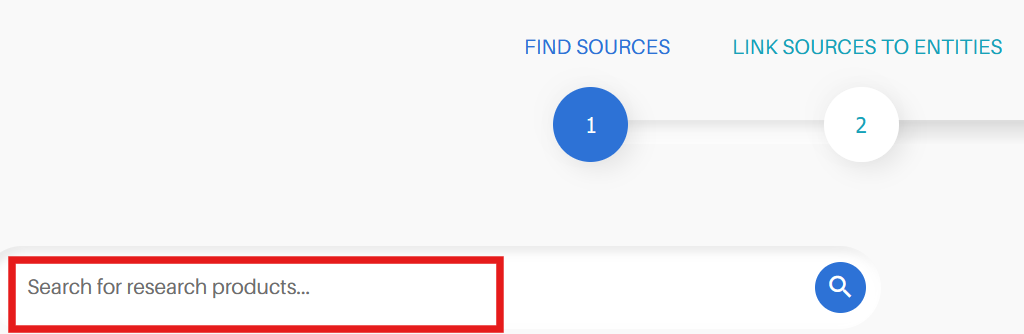
Link sources to entities. Click on the ‘+’ symbol on the right side of the search result to move them to your basket and then click on Step 2 “Link sources to entities”.

-
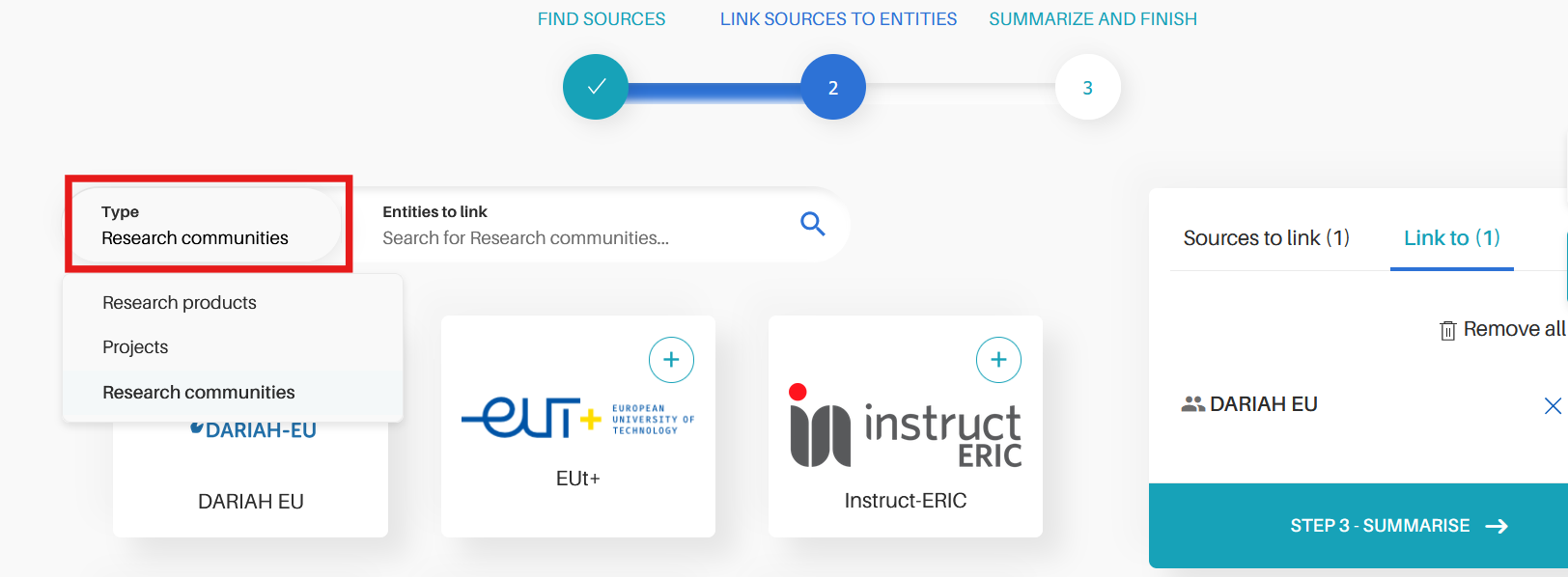
Then, select “Type”: Research products, Projects or Research Communities and enter your entity to link.
The DARIAH Gateway is selected by default as Research Community but here you can link to other communities too.
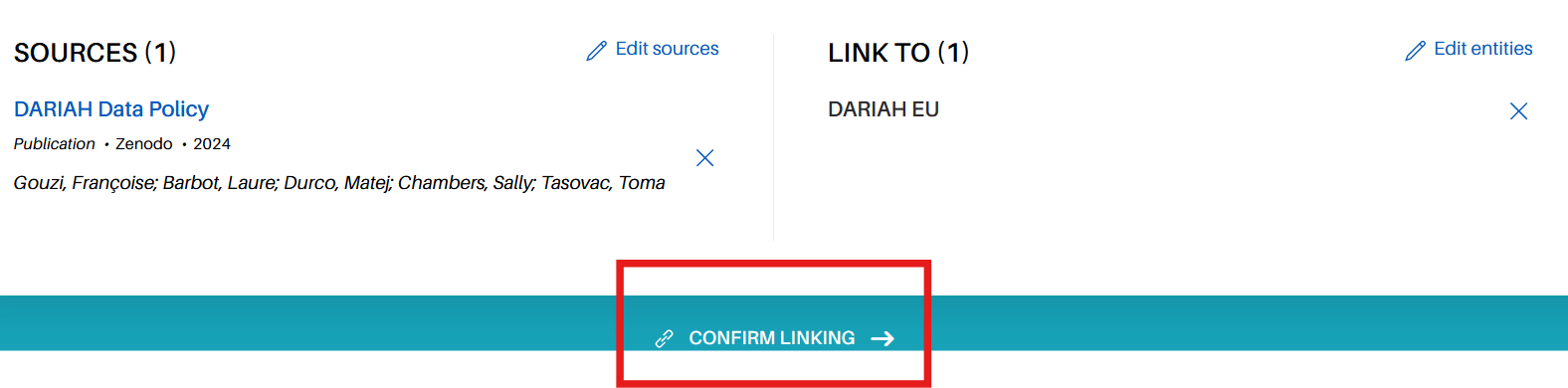
For more information, you can visit: ttps://www.openaire.eu/research-community-gateway-guide
-
See also OpenAire documentation: https://graph.openaire.eu/docs/data-model/entities/data-source/; https://www.openaire.eu/openaire-guidelines-for-literature-institutional-and-thematic-repositories; https://openaire-guidelines-for-literature-repository-managers.readthedocs.io/en/v4.0.0/ (accessed April 2025) ↩
-
OpenAIRE CONNECT tutorial - How to add data sources and to configure them. And Guide for OpenAIRE CONNECT Gateway curators, https://openplato.eu/course/view.php?id=128 (Connect with your institution) ↩